
Account Setup & Login
To save your experiments, track your history, and use collaboration features like sharing, you'll need an EvOC account. This guide walks you through the simple, one-time registration and login process.
TIP
If you've deployed EvOC locally, the web application will be available at http://localhost:3000/.
Registering Your EvOC Account
Creating your account involves these steps:
- Navigate & Initiate:
- Go to the EvOC Web Application URL.
- On the main screen, click the
Get Startedlink or button and then selectSign Up Now.
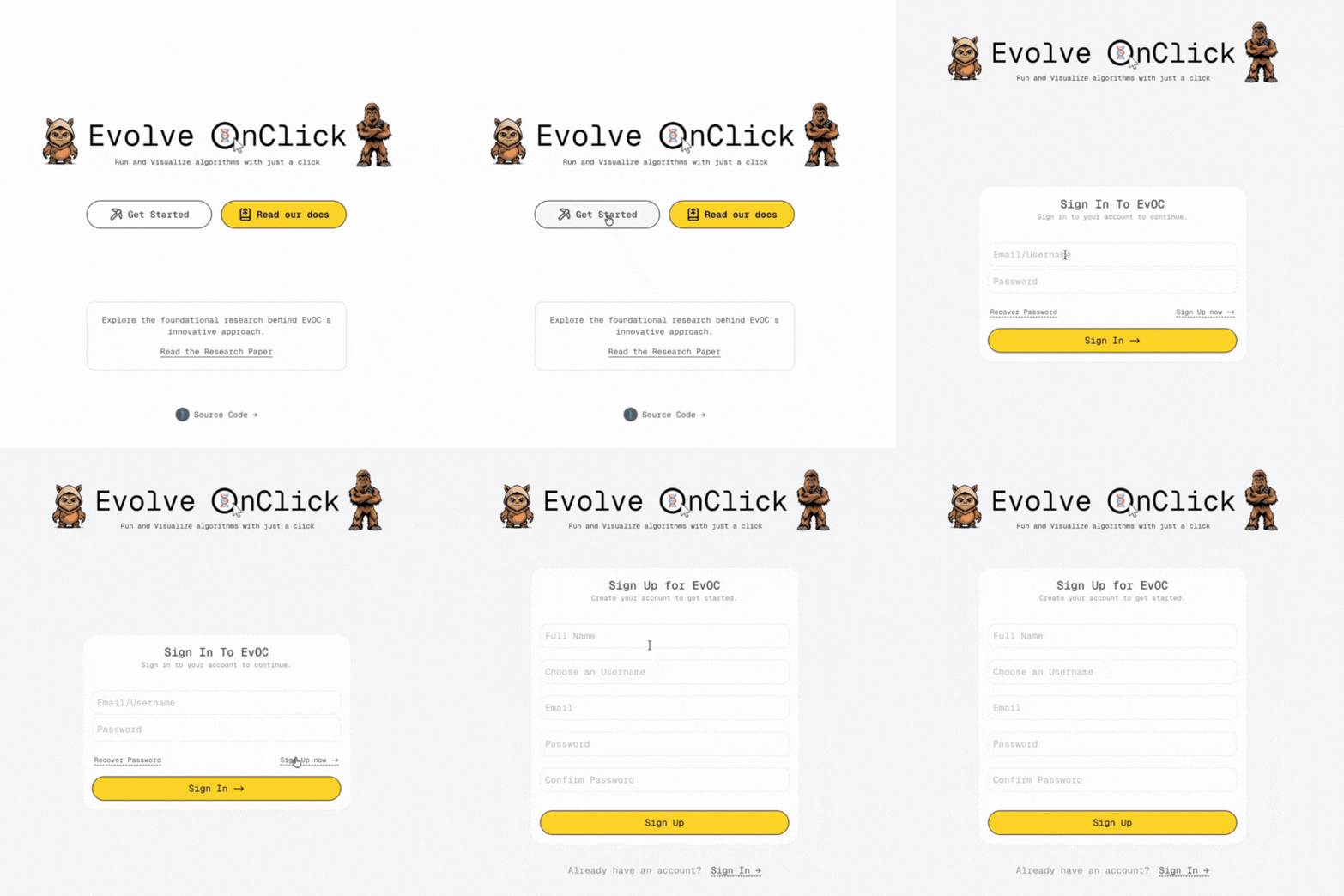
Enter Your Details: - Fill in the required fields accurately:
md- Full Name - Username - Email Address - Password (choose a secure one) - Confirm Password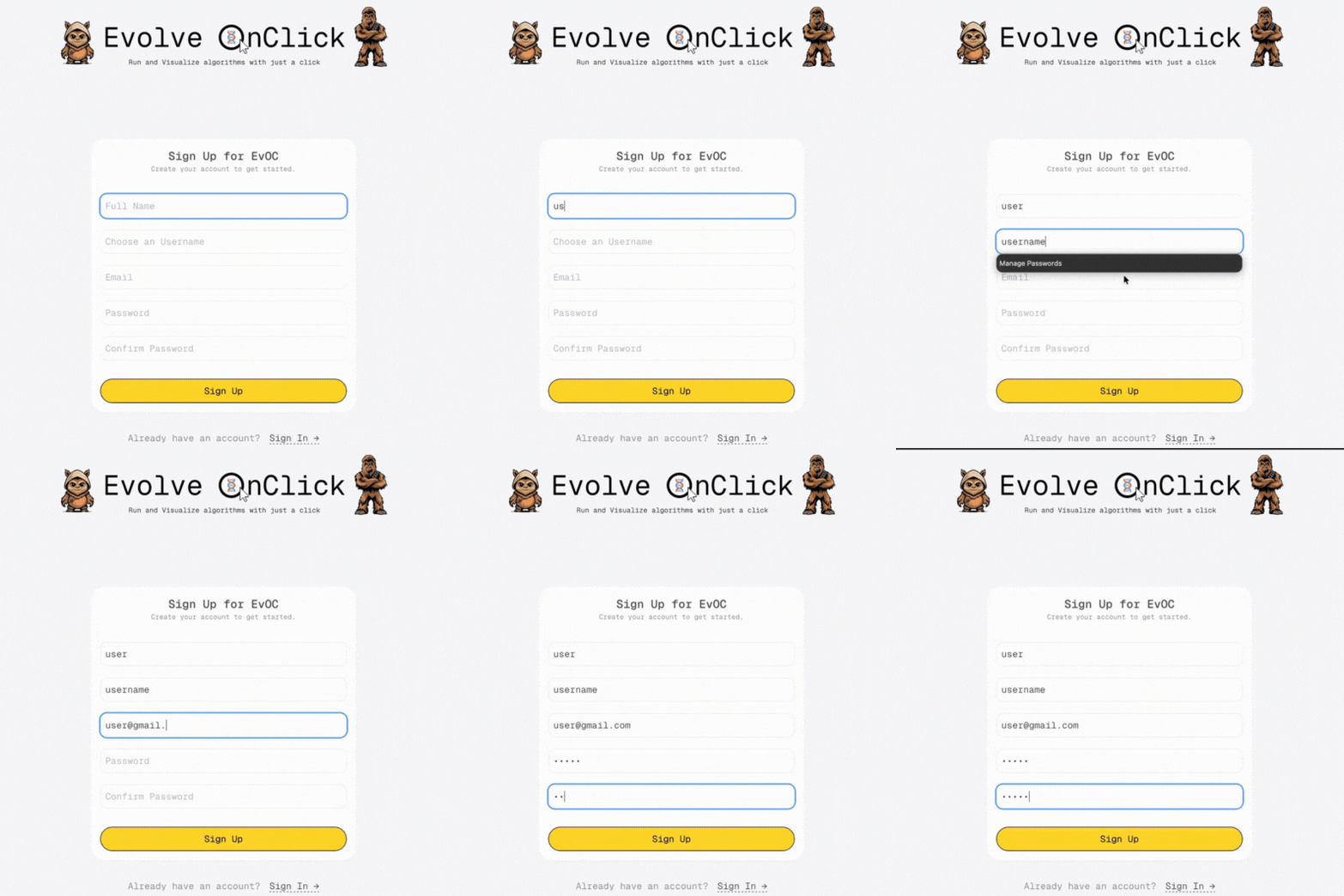
Submit the Form: - Click the
Sign Upbutton.Verify Your Email (OTP):
- Check the inbox of the email address you provided for a message containing a 6-digit One-Time Password (OTP).
Didn't receive the OTP email?
If you don't see the email within a few minutes, please check your Spam or Junk folder. Sometimes, automated emails can be misdirected there.
- Enter the 6-digit OTP code from the email into the verification screen on EvOC.
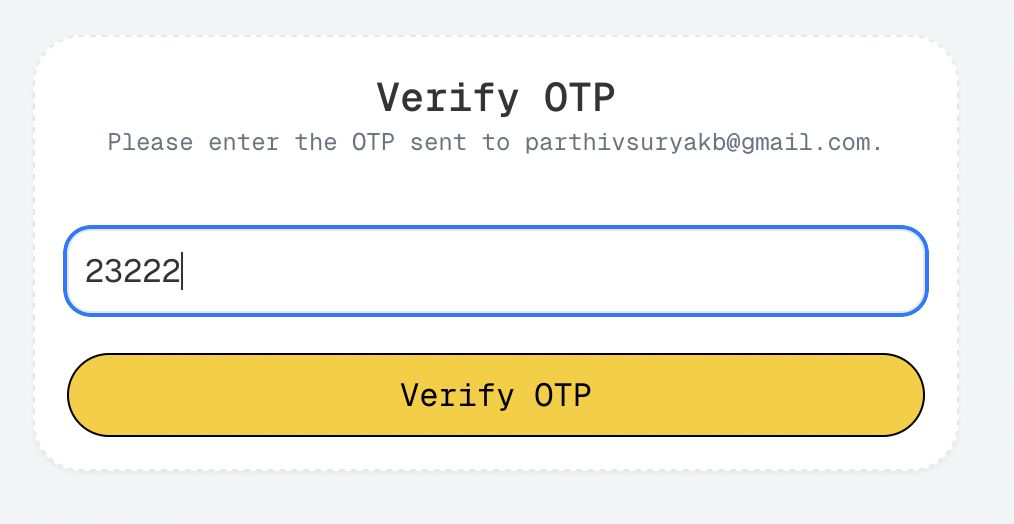
Complete Registration:
- Click the
Verify OTPbutton. - You should see a success message confirming your registration.
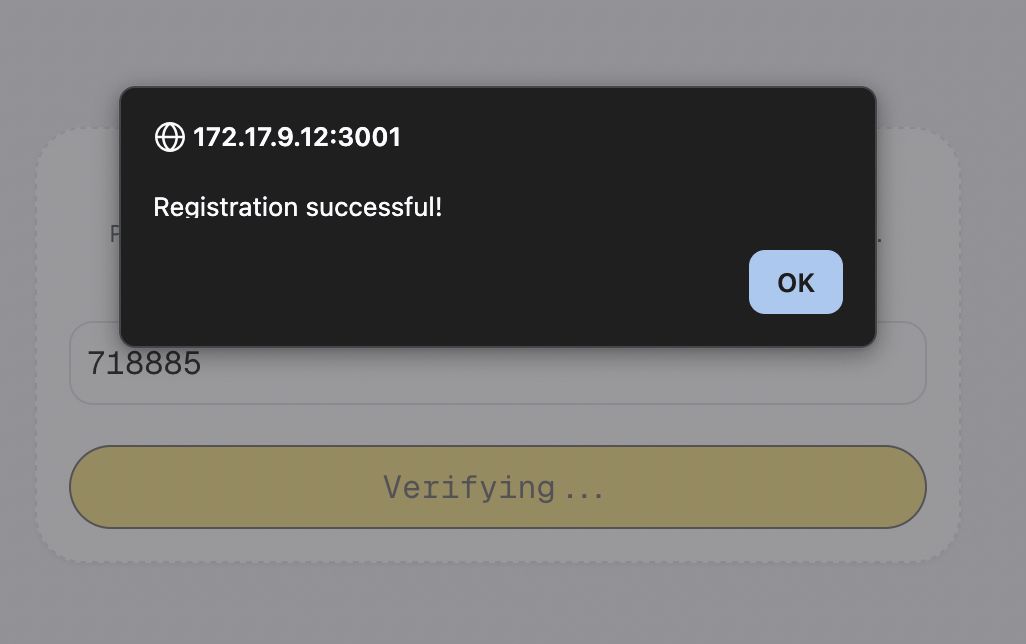
- Click the
Success! You now have an active EvOC account.
Logging In to EvOC
Accessing your account is straightforward:
Go to Login Page: -
- If you're not already on the login page, navigate to the EvOC Web Application URL.
- Click the
Get Startedlink or button.
Enter Credentials:
- Type in the
Email(orUsername) andPasswordyou used during registration.
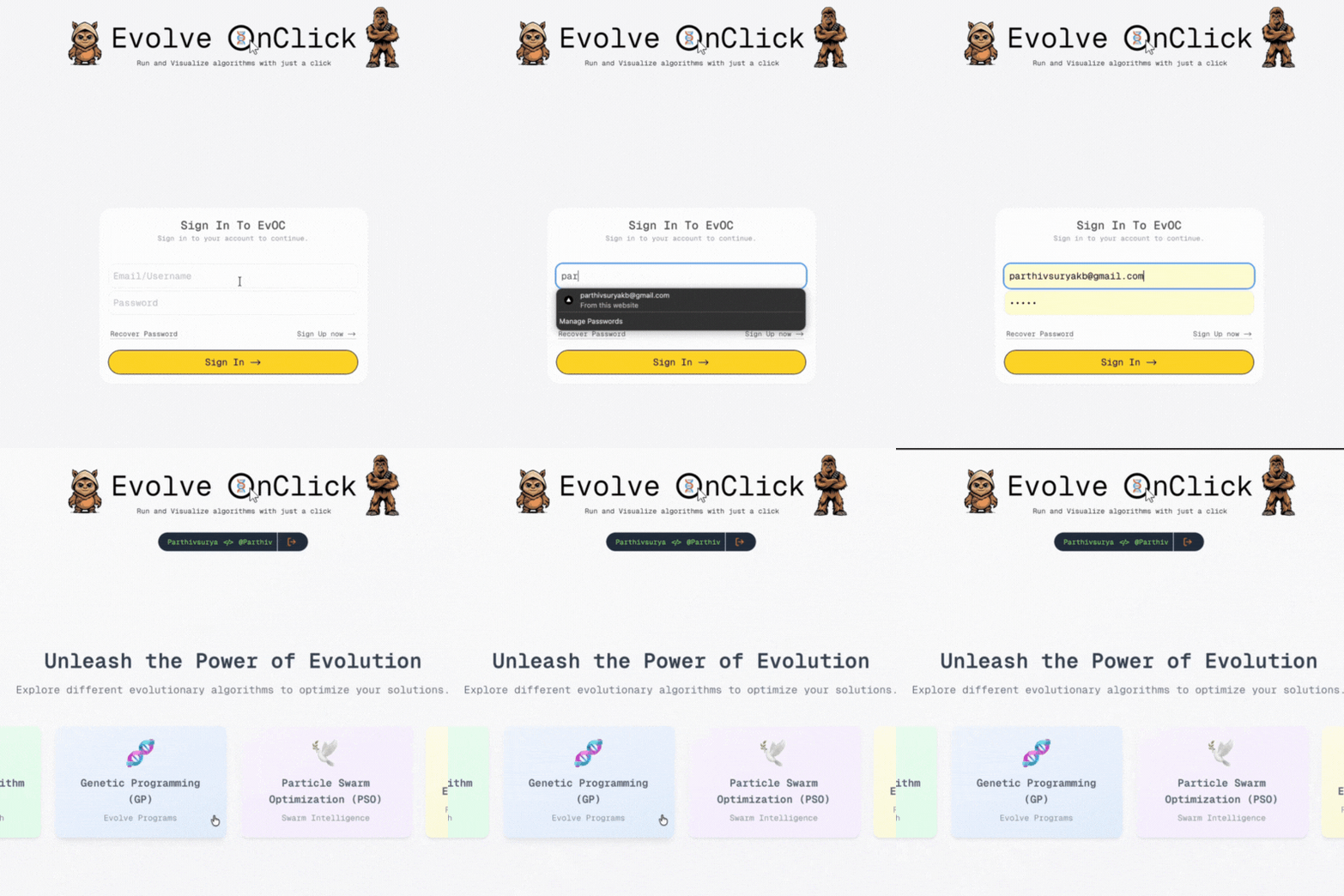
- Type in the
Sign In: - Click the
Sign Inbutton.
Welcome to the Dashboard
Upon successful login, you'll arrive at the main EvOC Dashboard. This is your starting point for creating, managing, and analyzing experiments.
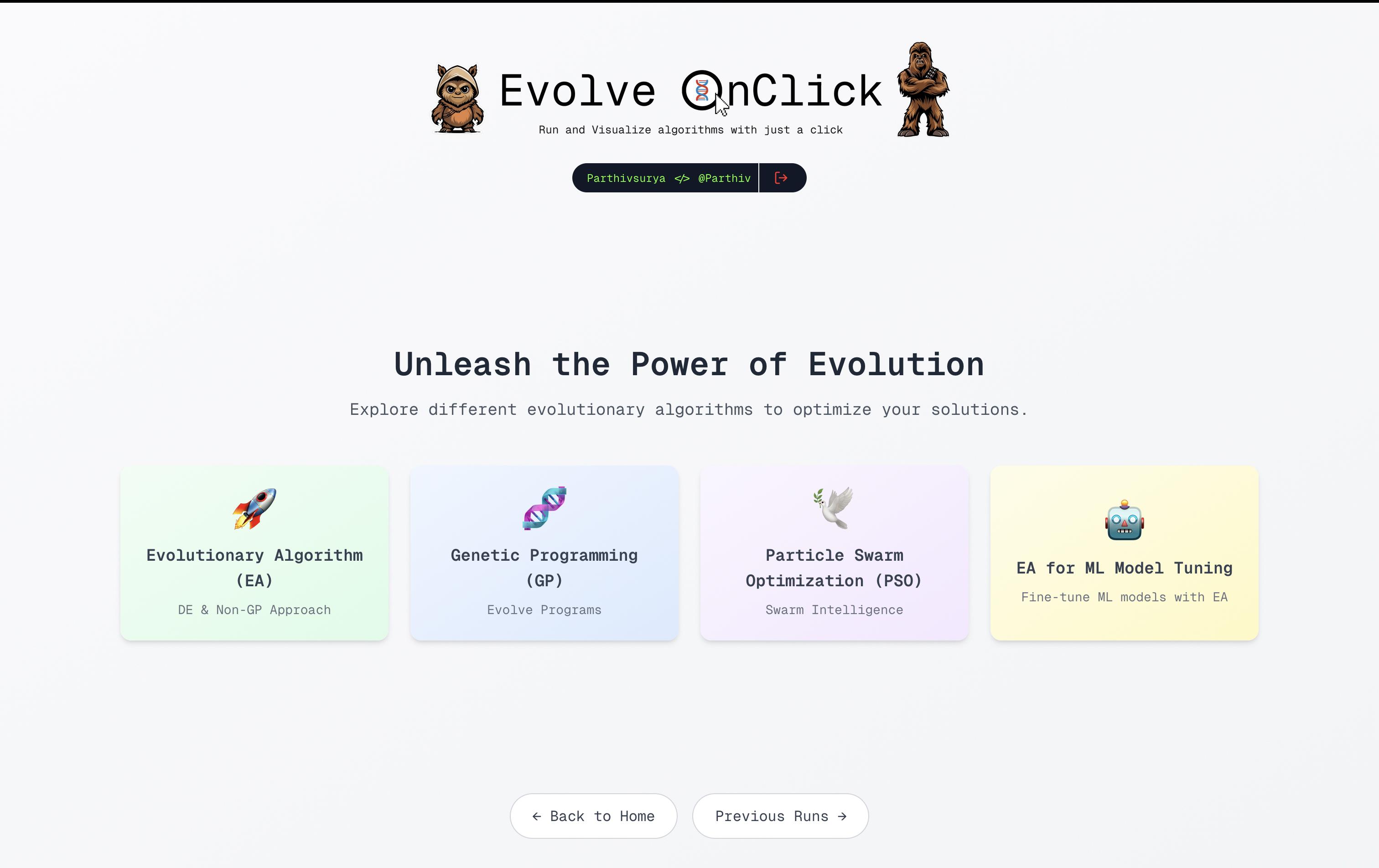
Next Steps:
Now that you're logged in, you're ready to: